
LifeBot Link · At the patient · deployable
Deploy the clinical workspace with the team.
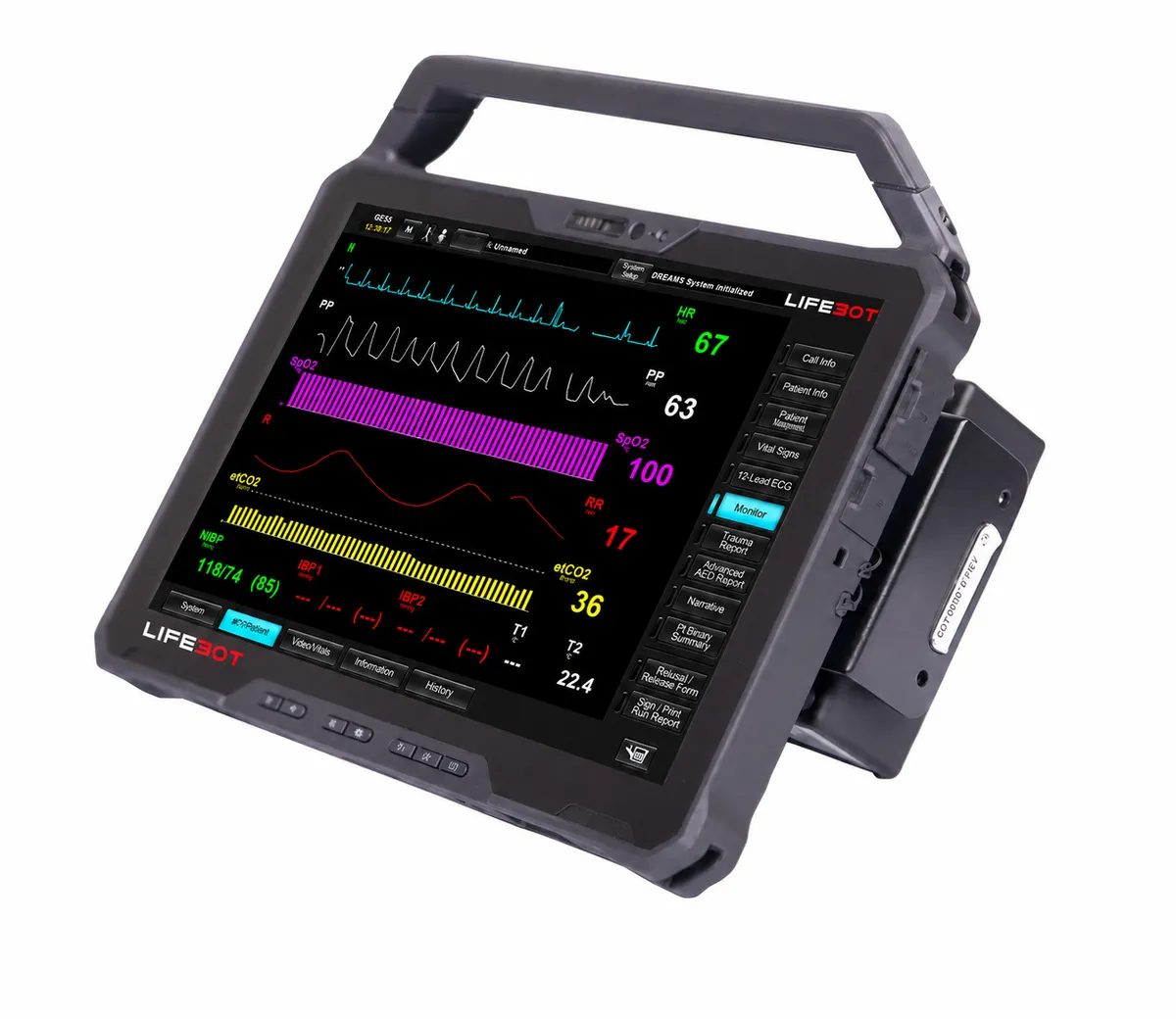
LifeBot Link places the DREAMS clinical workspace with responders and deployed medical teams. Its rugged tablet format combines patient information, selected medical devices, examination media and documentation with access to remote clinical participation.
What it does
Deployable patient-side system.
- Establish patient and encounter context at the point of need
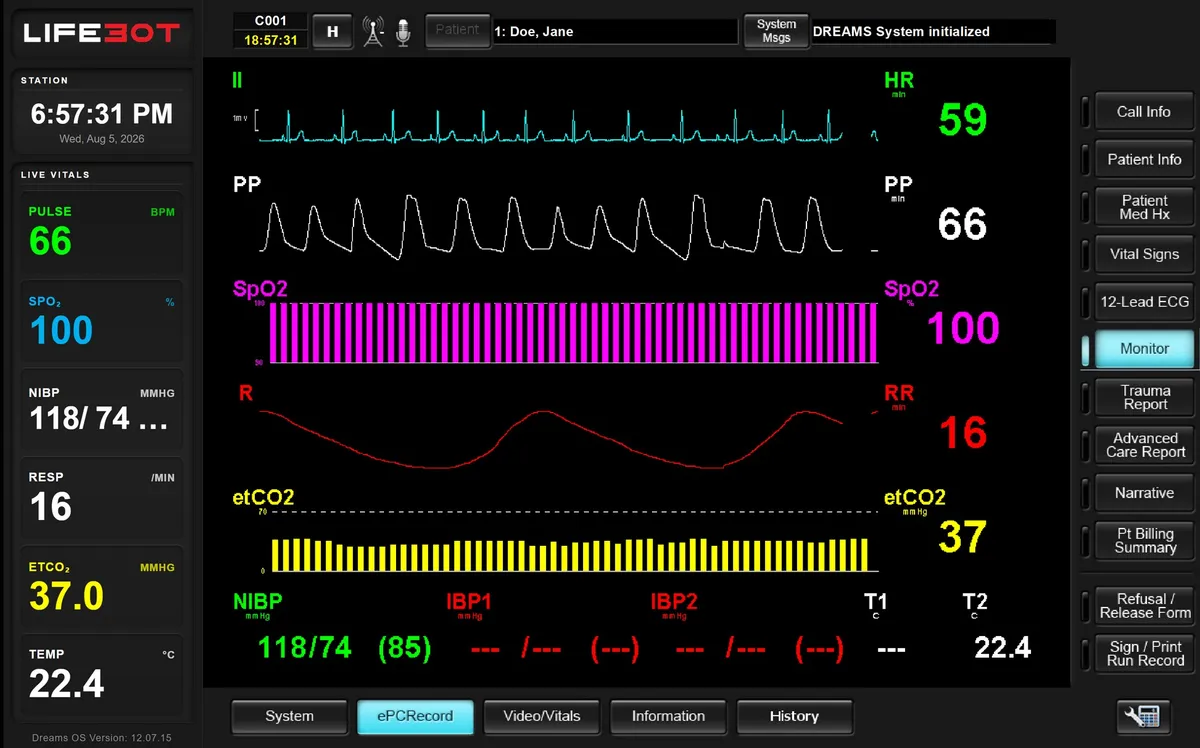
- View selected monitoring information, waveforms and ECG
- Use examination media, imaging and audio accessories
- Bring remote clinicians into the encounter through Command
- Document care and retain a local patient-side record
A field encounter needs more than measurements
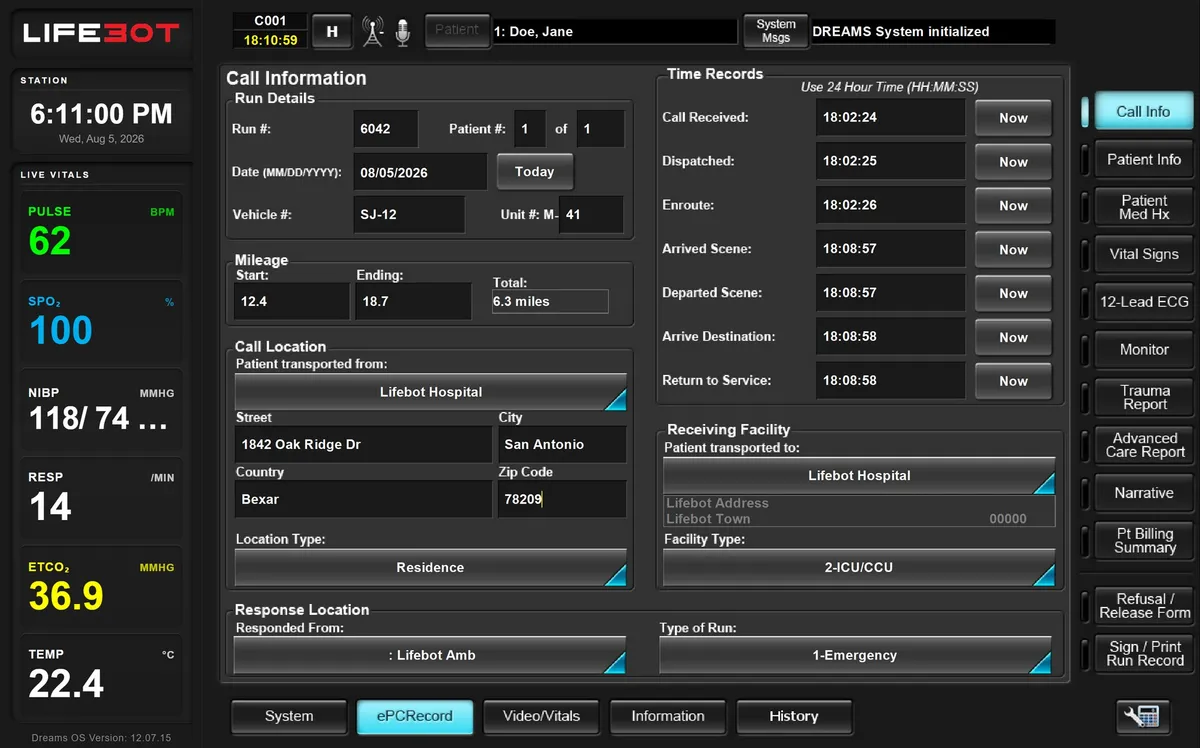
The team records who the patient is, where the encounter started and which unit is involved. Observations, monitoring and examination media add the clinical picture. Consultation then brings the selected information to a remote clinician while documentation continues at the patient side.
Plan the complete carrying and support package
Accessory selection covers how the system is carried, powered, positioned, cleaned and replenished. Batteries, sensors, cables and consumables deserve the same attention as the tablet and medical equipment. Fourteen accessory-pack families organise these choices.
In the software
Demonstration views.
Authorised demonstration artwork with sample data. Historical screen labels do not identify a current installation.
Configuration
Configure Link around the responder
Every delivered configuration is specified for the customer. These are the choices we work through with you.
| Selection area | Typical choices |
|---|---|
| Clinical information | Vital signs, ECG and waveforms |
| Examination | Ultrasound, examination camera and digital stethoscope |
| Consultation | Camera, microphone, headset and remote clinical access |
| Communications | Site or vehicle network, cellular and selected remote paths |
| Field support | Power, mounting, carrying case, cables and spares |
Reference host
| Reference host | Dell Pro Rugged 12 Tablet RA02260 |
| Operating system | Windows 11 Pro |
| Software | DREAMS 12.07.15, Build 3 (source designation) |
| Display | 12-inch touchscreen, 1920 × 1200, 1200 nits typical, anti-glare |
| Processor / memory | Intel Core Ultra 7 268V; 32 GB LPDDR5x |
| Wireless | Wi-Fi 7, Bluetooth 5.4; optional 5G / eSIM |
| Batteries | Two removable 35.6 Wh long-life batteries |
| Tablet weight | From 1.31 kg (complete package includes additional equipment) |
| Security hardware | TPM 2.0; selected fingerprint and smart-card options |
Figures describe the reference tablet and selected host options. Assembled dimensions, total mass, operating envelope and runtime belong to the complete equipment and power schedule.
In your demo
What we will show you.
- Patient and call context
- Monitoring and 12-lead ECG
- Examination media
- Local work while remote access is unavailable
Request a demo
See the complete encounter, live.
Book a demonstration with sample data: patient-side work, the remote clinician joining, local work during an outage and the record arriving. Online, on site in Türkiye or at ICMM 2026.