
LifeBot Command · With the remote clinician
Put remote expertise within reach.
LifeBot Command is the remote clinical workspace of the Medical Command Network. It lets an authorised clinician participate in a selected Link or Core encounter through consultation, shared information and documentation.
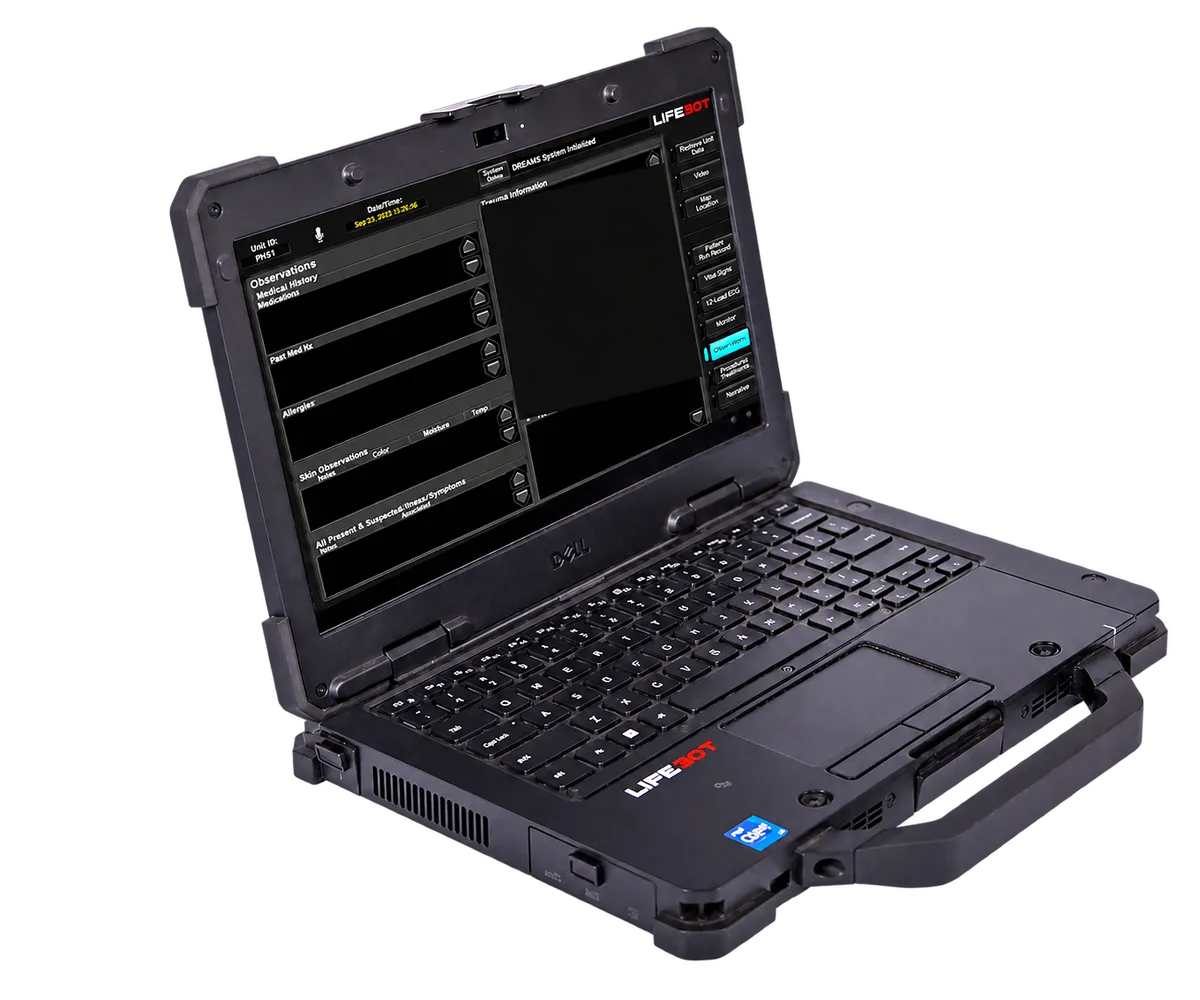
What it does
Remote clinician workstation.
- Join the selected patient consultation
- Review shared vital signs, ECG and medical media
- Use available camera views and collaboration tools
- Communicate with the frontline team and document the consultation
The consultation sequence
The clinician selects the case and reviews the patient context. Audio, video and selected clinical information support discussion with the local team. Consultation notes and the organisation’s handoff process carry the encounter forward.
Design the service around the clinician
Define coverage, the consultation destination, authorised access and the working environment. Touchscreen displays, camera and audio equipment, hosting and network access make the clinical position practical for the intended shift.
In the software
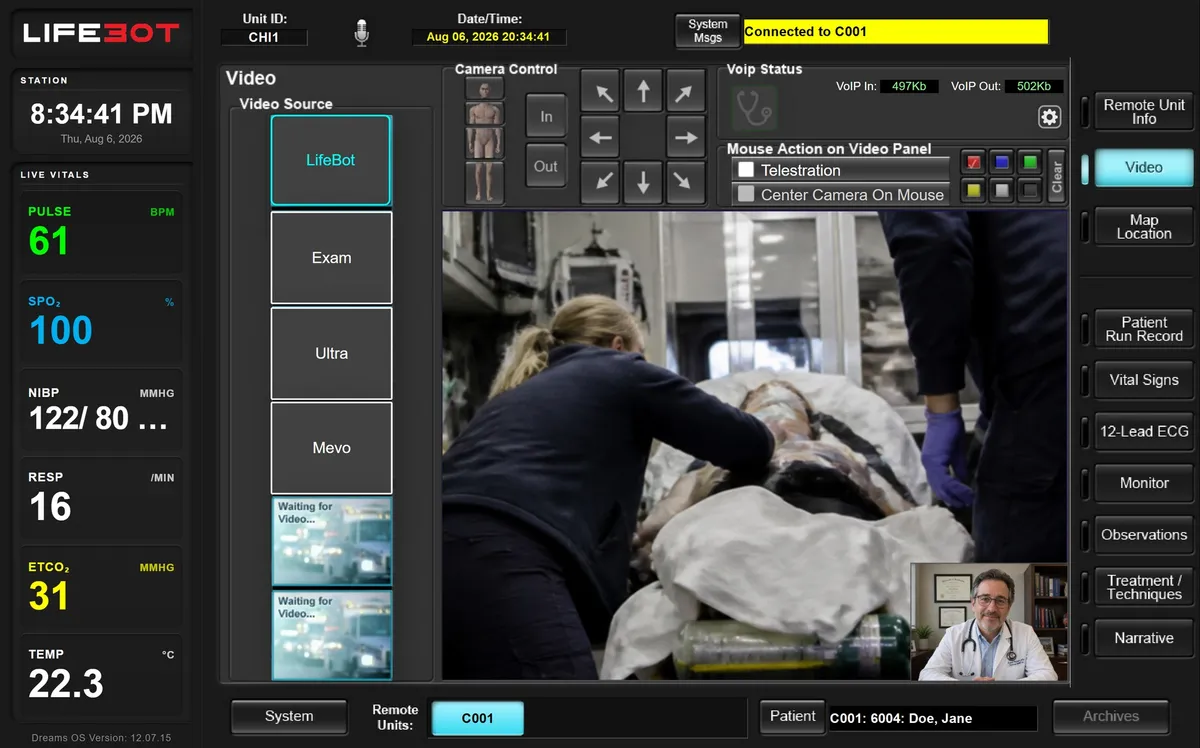
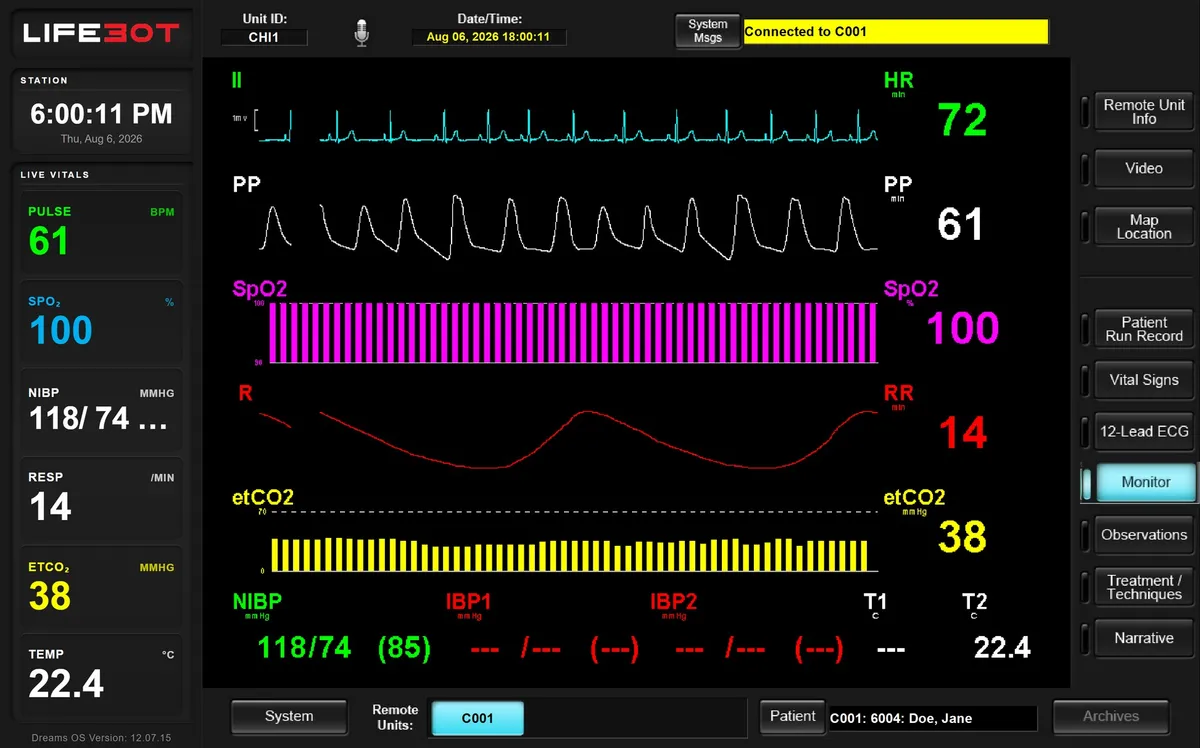
Demonstration views.
Authorised demonstration artwork with sample data. Historical screen labels do not identify a current installation.
Configuration
Choose the clinical position
Every delivered configuration is specified for the customer. These are the choices we work through with you.
| Arrangement | Service fit |
|---|---|
| Portable workstation | A clinician who needs a deployable consultation position |
| Desktop workstation | A fixed consultation desk or remote clinical service |
| Medical-cart workstation | A consultation position that can move within a facility |
| Software | Windows application on the local workstation or in a hosted virtual-machine arrangement |
In your demo
What we will show you.
- Selecting the case
- Shared monitoring and ECG
- Scene video, camera control and telestration
- Consultation documentation
Request a demo
See the complete encounter, live.
Book a demonstration with sample data: patient-side work, the remote clinician joining, local work during an outage and the record arriving. Online, on site in Türkiye or at ICMM 2026.