
LifeBot Core · At the patient · treatment location
Bring the network to the bedside.
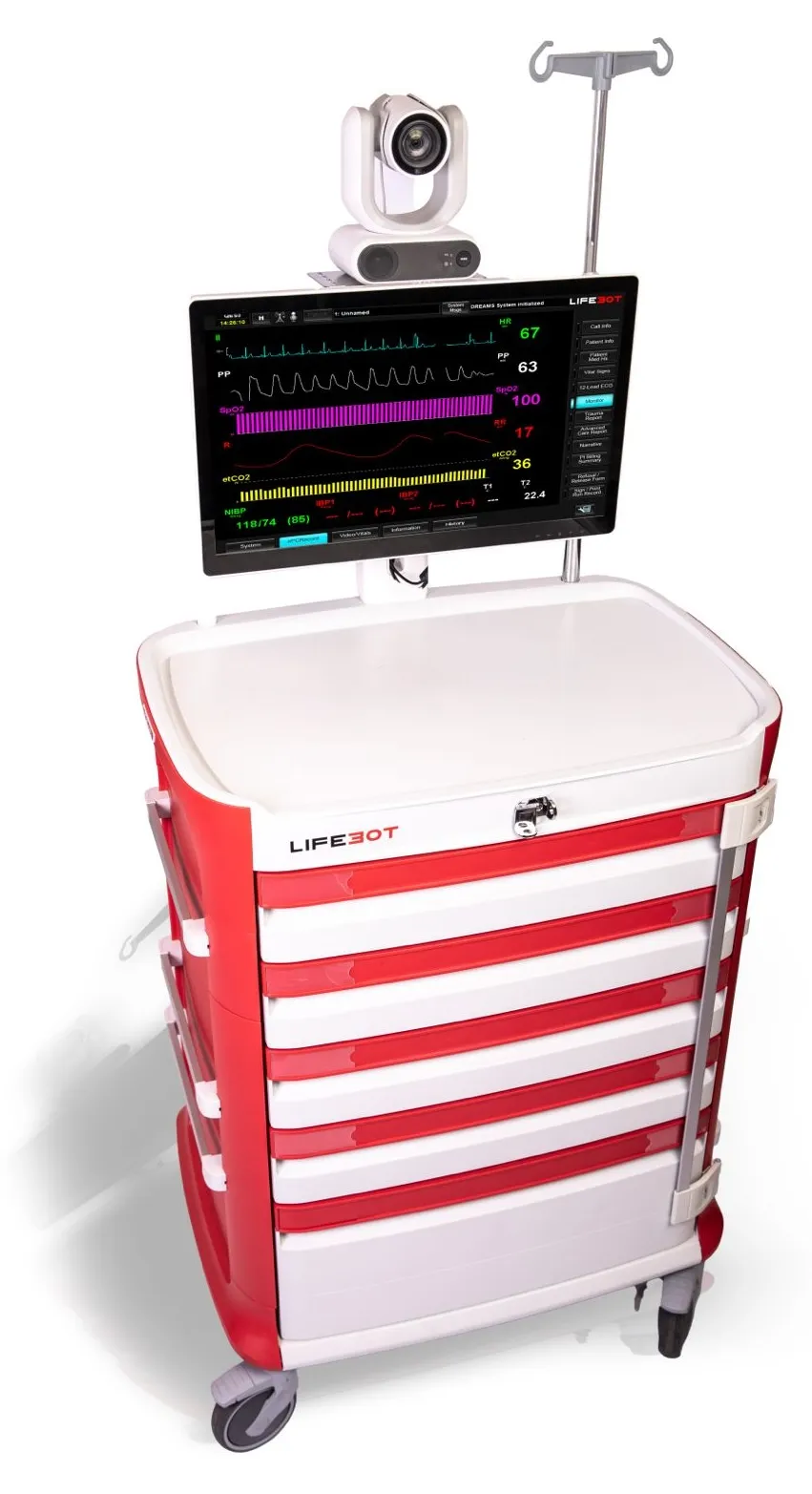
LifeBot Core anchors the active encounter where care is delivered. A touchscreen clinical workspace brings together patient information, selected medical devices, examination media, consultation and documentation.
What it does
Patient-side clinical cart.
- Organise patient information and local documentation
- Bring monitoring, ECG and examination media into view
- Connect remote physicians and specialists through Command
- Support record output and the next care transition
A stable clinical position within a changing operation
A temporary clinic, treatment bay or deployed medical facility needs a workspace that accommodates the patient, operator, medical equipment and remote consultation. Core brings these together at the care location while preserving the encounter record.
The same workflow as Link
Core uses the same patient-side DREAMS workflow family as Link, so teams can assess portable and treatment-location arrangements against the same encounter requirements.
In the software
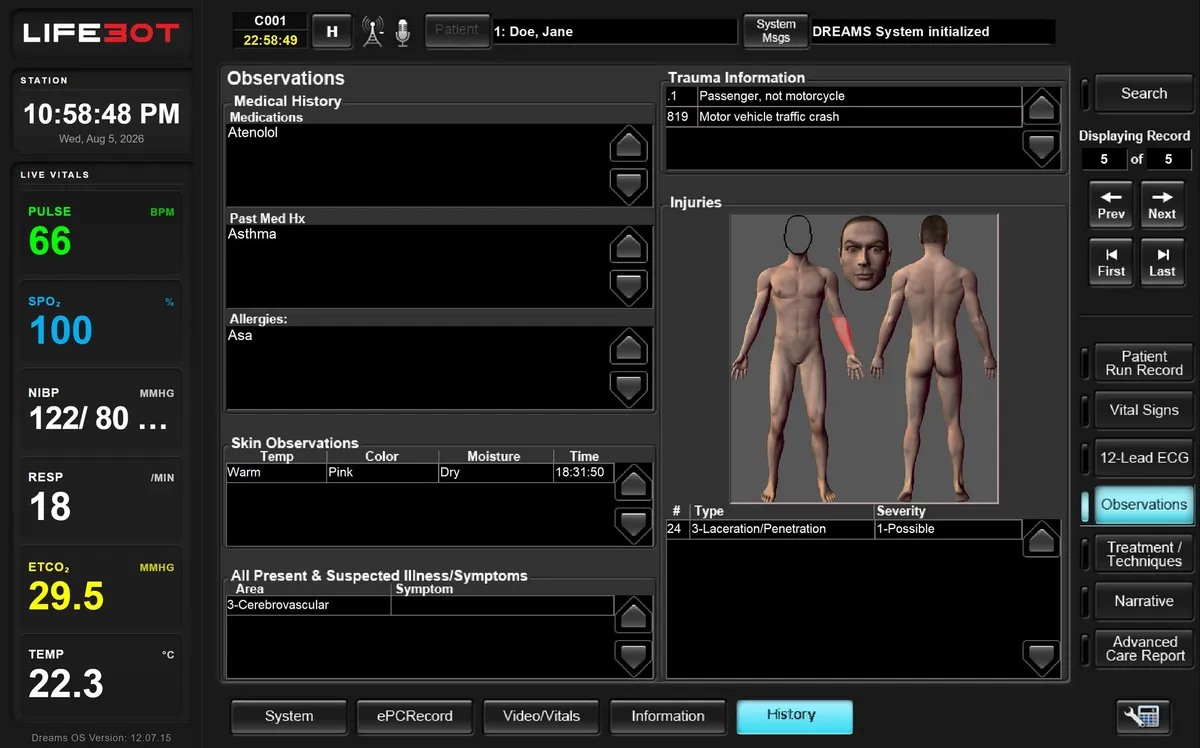
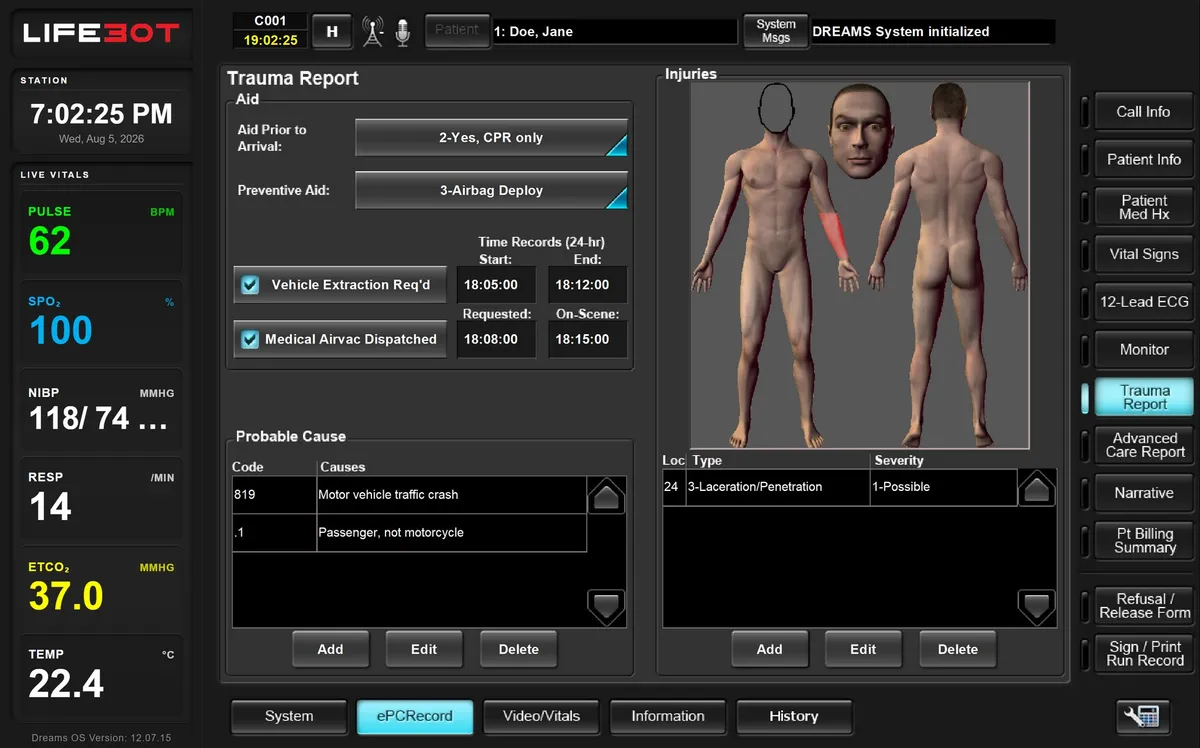
Demonstration views.
Authorised demonstration artwork with sample data. Historical screen labels do not identify a current installation.
Configuration
Choose a clinical hub that fits
Every delivered configuration is specified for the customer. These are the choices we work through with you.
| Design choice | What to consider |
|---|---|
| Workspace | Cart mobility, positioning, working area and cleaning |
| Computer and display | The chosen computer arrangement and touch display |
| Medical equipment | Monitoring, examination, imaging and other care equipment |
| Power | Mains, battery or UPS arrangements for the location |
| Communications | Local network and the remote clinical service |
In your demo
What we will show you.
- Treatment-location setup
- Monitoring and examination media
- Specialist consultation
- Record output
Request a demo
See the complete encounter, live.
Book a demonstration with sample data: patient-side work, the remote clinician joining, local work during an outage and the record arriving. Online, on site in Türkiye or at ICMM 2026.